
How this list is made: Built from public information on each vendor's own pricing pages and product docs, plus public user reviews. I don't test the tools hands-on, and this guide is for general education. Some brands in this list may be featured partners or sponsors, and those spots are clearly labeled. Spot something missing or out of date? Email info@amitdeora.com and I'll update it. Editorial policy · Advertising disclosure.
Pipedrive is a popular, visual sales CRM. Its entry plan is fair at $14 per seat a month billed yearly, but useful features like email automation sit on higher tiers, and costs grow with every seat. Some teams also want built-in calling, a free plan, or simpler all-inclusive pricing.
I compared seven alternatives on price, what each plan includes and who each one suits. Every price comes from the vendor's own pricing page, checked on November 14, 2026.

Quick comparison
| Tool | Best for | Starting price | Free plan | Rating |
|---|---|---|---|---|
 Zoho CRM | The most CRM for the money | $14 per user a month | Yes (3 users) | 4.1/5 (G2) |
 Close | Sales teams that call and email all day | $9 a month | Free trial | 4.7/5 (G2) |
 monday CRM | Teams already working in monday.com | $12 per seat a month | Free trial | 4.5/5 (G2) |
 Copper | Teams that run on Google Workspace | $23 per seat a month | Free trial (no card) | 4.5/5 (G2) |
 Attio | Startups that want a flexible, modern data model | $40 a month | Yes (3 users) | 4.3/5 (G2) |
 Nutshell | Small teams that want CRM plus marketing tools | From $13 per user a month | Free trial | 4.3/5 (G2) |
 Less Annoying CRM | Simple, all-inclusive pricing | $15 per user a month | Free trial (30 days, no card) | 4.9/5 (G2) |
The 7 best picks, ranked
1. Zoho CRM: Best for the most CRM for the money
G2 rating 4.1out of 5 2,960 reviews · checked Nov 2026
- Starting price
- $14 per user a monthStandard, billed yearly ($20 monthly)
- Free plan
- Yes (3 users)

Zoho CRM is a sales CRM from Zoho Corporation, the company behind a large family of business apps. It is known for a free plan for 3 users and low per-user prices. Next to Pipedrive, it matches the $14 entry price but lists workflow rules on that first paid tier, while Pipedrive saves its automations for Growth at $39.
Key features
- Workflows on the entry plan: Zoho's pricing page lists workflow automation on Standard, so day-to-day tasks can run on their own from $14 a user.
- Blueprint: Professional adds Blueprint, which Zoho describes as a step-by-step guide that walks reps through each sales stage.
- Email intelligence: Professional also gives AI notes on emails, such as short summaries, intent and sentiment, and subject line ideas.
- Territory management: Enterprise lets admins assign leads and accounts to reps by product line, region or industry, per the pricing page.
Zoho CRM plans and pricing
| Plan | Price | Notes |
|---|---|---|
| Free | $0 | Free forever for 3 users; data export up to 10 times |
| Standard | $14 per user a month, billed yearly | $20 billed monthly |
| Professional | $23 per user a month, billed yearly | $35 billed monthly |
| Enterprise | $40 per user a month, billed yearly | $50 billed monthly |
| Ultimate | $52 per user a month, billed yearly | $65 billed monthly |
Why it made the list
Zoho CRM covers a lot for less than Pipedrive at each step. It is free for 3 users, Standard adds email integration and more at $14 a month billed yearly, and Professional brings AI agents and process automation for $23. It also connects to the wider Zoho suite.
Trade-offs to know
The interface has more options than Pipedrive's clean pipeline view, so setup takes longer. Monthly billing is noticeably higher. Prices are shown by region, so check the page in your country.
Skip it if: Skip Zoho CRM if you picked Pipedrive because it was quick to learn, since Zoho has far more menus and settings. Teams with large files should note Zoho's help center lists a 10,000-row import limit on Standard.
2. Close: Best for sales teams that call and email all day
G2 rating 4.7out of 5 2,160 reviews · checked Nov 2026
- Starting price
- $9 a monthSolo, billed yearly ($19 monthly); Essentials $35 per user
- Free plan
- Free trial
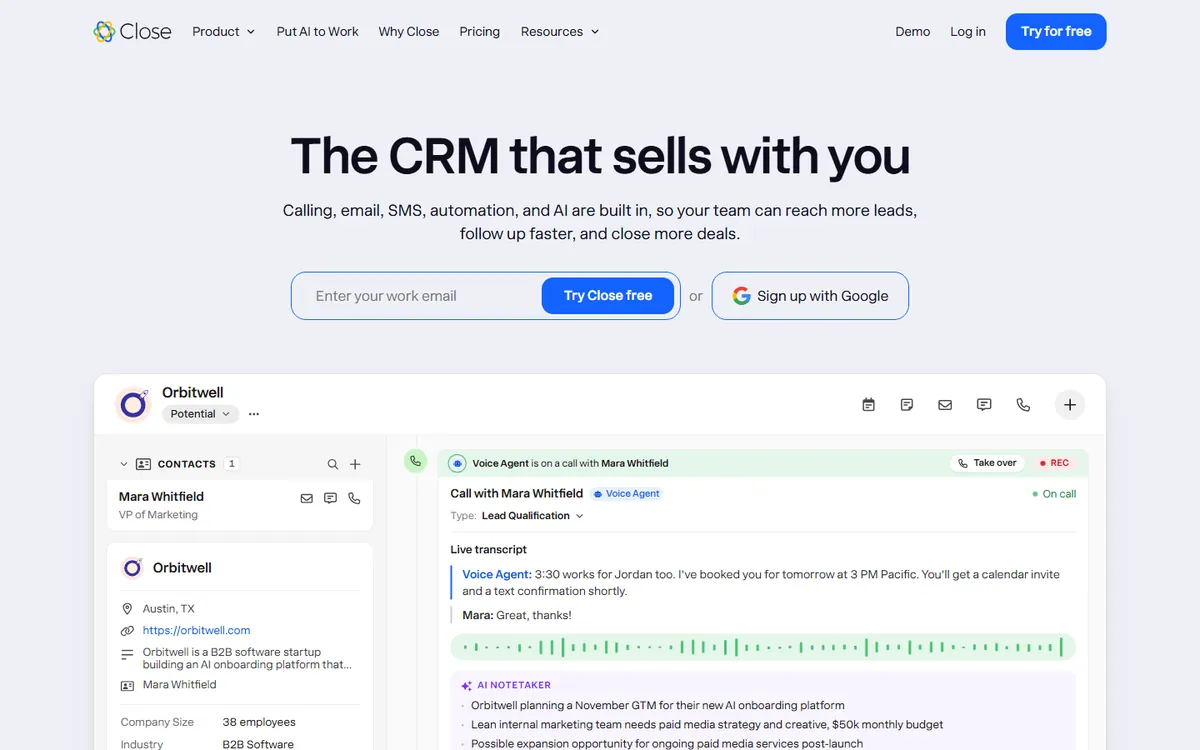
Close is a CRM made by Close for inside sales teams. Calling, email and SMS live inside the app, so there is no separate phone tool to buy. Compared with Pipedrive, it cares less about a drag-and-drop deal board and more about how many calls and emails a rep can get through in a day.
Key features
- Local Presence calling: Essentials adds Local Presence calling, call transfer, email open tracking and team performance reports, Close's pricing page says.
- Workflows with SMS steps: Growth adds Workflows that can include SMS and AI steps, plus automatic lead assignment and bulk email.
- Live Call Coaching: Scale adds Live Call Coaching for managers, a Predictive Dialer, custom reports and a customer success manager.
- Call recording time: Recordings are kept for 30 days on Solo, 90 days on Growth and with no time limit on Scale.
Close plans and pricing
| Plan | Price | Notes |
|---|---|---|
| Solo | $9 a month, billed yearly | $19 billed monthly; 1 user, up to 10,000 leads |
| Essentials | $35 per user a month, billed yearly | $49 billed monthly; unlimited users and leads |
| Growth | $99 per user a month, billed yearly | $109 billed monthly; marked Recommended |
| Scale | $139 per user a month, billed yearly | $149 billed monthly |
Why it made the list
Close is built for high-activity selling, with calling, email and SMS in one place. Solo suits independent sellers at $9 a month billed yearly. Essentials, at $35 per user, fits small teams, and Growth adds workflows and a dialer for $99 per user billed yearly.
Trade-offs to know
Workflows are not included on Solo or Essentials, which is a key Pipedrive-style feature. Monthly billing costs much more. Teams that rarely call will not use its biggest strengths.
Skip it if: Skip Close if your reps mostly meet buyers in person and rarely dial. Also plan for usage costs, since Close says calling and SMS fees are not part of the plan price.
3. monday CRM: Best for teams already working in monday.com
G2 rating 4.5out of 5 1,988 reviews · checked Nov 2026
- Starting price
- $12 per seat a monthBasic, billed yearly ($18 monthly); Standard $17
- Free plan
- Free trial

monday CRM is the sales product from monday.com, built on the same boards the company offers for project work. It is known for colorful, flexible boards with many column types. Against Pipedrive, its main draw is for teams that want sales deals and post-sale delivery tracked in one account. Every plan starts at 3 seats.
Key features
- Contact and deal limits: Basic holds 1,000 active contacts and deals, Standard 10,000 and Pro 100,000, according to the pricing page.
- Quotes and invoices: Each plan can send quotes and invoices, from 20 a month on Basic to 50 on Standard and 250 on Pro.
- Automation allowance: Standard comes with 250 automations a month, while Pro allows 25,000 and adds an AI workflow builder.
- Security certifications: monday.com says it holds SOC 2 Type II and ISO/IEC 27001 and 27018, and it lists HIPAA compliance on Ultimate.
monday CRM plans and pricing
| Plan | Price | Notes |
|---|---|---|
| Basic | $12 per seat a month, billed yearly | $18 billed monthly; 3-seat minimum; 1,000 contacts and deals |
| Standard | $17 per seat a month, billed yearly | $25 billed monthly; 10,000 contacts and deals |
| Pro | $28 per seat a month, billed yearly | $41 billed monthly; 100,000 contacts and deals |
| Ultimate | Custom quote | Unlimited contacts and deals; contact sales |
Why it made the list
monday CRM brings deals, contacts and leads into the same flexible boards many teams already use for projects. Standard, at $17 per seat a month billed yearly, adds automation and AI agents for outreach and lead sourcing.
Trade-offs to know
It is priced per seat, so costs grow with the team. Basic is limited, with 1 workspace and 1 custom dashboard. Teams that want a pure, opinionated sales pipeline may prefer Pipedrive's focus.
Skip it if: Skip monday CRM if you are a team of one or two, since plans start at 3 seats. Sellers who want email sequences on a budget should note that sequences and mass email only come on Pro.
4. Copper: Best for teams that run on Google Workspace
G2 rating 4.5out of 5 1,158 reviews · checked Nov 2026
- Starting price
- $23 per seat a monthBasic, billed yearly ($29 monthly); Professional $59
- Free plan
- Free trial (no card)

Copper is a CRM made by Copper that says it is built to work inside Google Workspace. It runs in Gmail and Google Calendar and logs emails and meetings as you work, the company says. Compared with Pipedrive, its entry price is higher and its plans cap contacts, so it fits best when the Gmail tie-in matters more than cost.
Key features
- Contact enrichment: Basic includes contact enrichment and task automation, along with pipelines and simple project management.
- Workflow automation and bulk email: Professional adds workflow automation, bulk email, reporting and integrations, per Copper's pricing page.
- Email series: Business adds email series, custom reports, multi-currency deals and premium support.
- Contact caps: Basic stores up to 2,500 contacts and Professional up to 15,000, while Business has no contact limit.
Copper plans and pricing
| Plan | Price | Notes |
|---|---|---|
| Basic | $23 per seat a month, billed yearly | $29 billed monthly; 2,500 contacts |
| Professional | $59 per seat a month, billed yearly | $69 billed monthly; 15,000 contacts |
| Business | $99 per seat a month, billed yearly | $134 billed monthly; unlimited contacts |
Why it made the list
Copper is built to sit inside Google Workspace, so contacts and emails flow in from Gmail with little manual entry. Basic covers pipelines, task automation and contact enrichment. Professional adds revenue tracking for $59 per seat a month billed yearly.
Trade-offs to know
It is more expensive than Pipedrive's entry plan. Its biggest benefit disappears if your team uses Outlook instead of Gmail. Advanced reporting needs the higher tiers.
Skip it if: Skip Copper if you have more than 2,500 contacts but want the cheapest plan, since that is Basic's limit. Teams that need workflow automation pay $59 a seat on Professional, well above Pipedrive Growth at $39.
5. Attio: Best for startups that want a flexible, modern data model
G2 rating 4.3out of 5 598 reviews · checked Nov 2026
- Starting price
- $40 a monthPlus, per workspace incl. 1 user, billed yearly
- Free plan
- Yes (3 users)
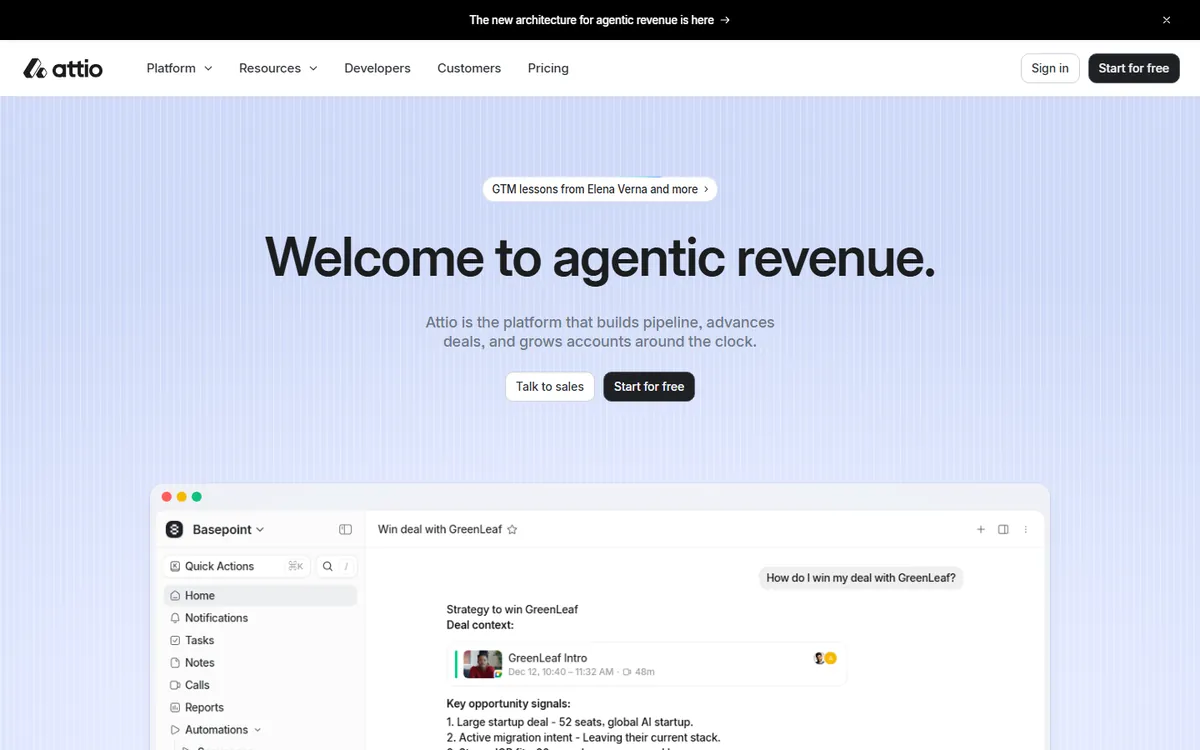
Attio is a CRM built by Attio that works more like a flexible database than a fixed sales board. It creates records from your email and calendar and adds company data on its own. Unlike Pipedrive's per-seat pricing, Attio charges per workspace with users added on top, and its free plan covers up to 3 users.
Key features
- Ask Attio: Every plan includes Ask Attio, a personal AI agent, with 100 credits per user on Free and up to 2,500 on Ultra.
- Sequences and call intelligence: Pro adds email sequences, call intelligence, custom objects and advanced reporting, Attio's pricing page says.
- Record limits: Free holds 50,000 records, Plus 250,000, Pro 1 million and Ultra 3 million.
- Admin controls: Ultra includes single sign-on, SCIM user provisioning and audit logs; on Pro these come through a Governance add-on.
Attio plans and pricing
| Plan | Price | Notes |
|---|---|---|
| Free | $0 | Up to 3 users; 50,000 records |
| Plus | $40 a month per workspace, billed yearly | $50 billed monthly; includes 1 user, extra users $35 yearly or $44 monthly; up to 10 users |
| Pro | $100 a month per workspace, billed yearly | $125 billed monthly; includes 1 user, extra users $79 yearly or $99 monthly |
| Ultra | $1,000 a month per workspace, billed yearly only | Includes 5 users; extra users $189 each |
Why it made the list
Attio lets you shape the CRM around your data, more like a smart database than a fixed pipeline. It is free for up to 3 users, and Plus adds email sharing and AI summaries. It suits startups, investors and teams with unusual sales motions.
Trade-offs to know
Each added Plus user is another $35 a month on a yearly plan, which grows fast. You build your own pipeline in Attio, while Pipedrive hands you one ready to use.
Skip it if: Skip Attio if you want a sales pipeline that works on day one with little setup. Bigger teams should do the math: Plus stops at 10 users, and each extra Pro user adds $79 a month on yearly billing.
6. Nutshell: Best for small teams that want CRM plus marketing tools
G2 rating 4.3out of 5 1,463 reviews · checked Nov 2026
- Starting price
- From $13 per user a monthFoundation, billed yearly ($19 billed monthly)
- Free plan
- Free trial
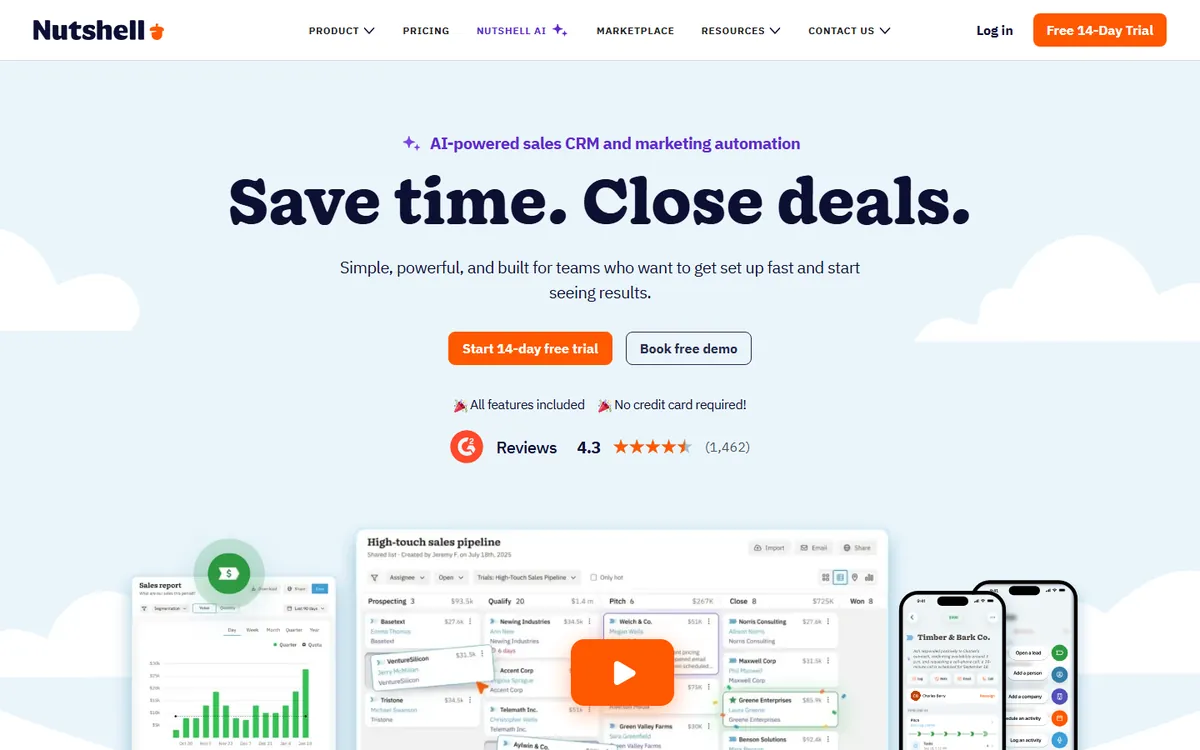
Nutshell is a CRM made by Nutshell for small and mid-size sales teams. It is known for putting webchat, forms, landing pages and basic email marketing in every plan, along with free live support. That is a clear contrast with Pipedrive, which sells its LeadBooster lead capture on Premium or as a paid add-on.
Key features
- Lead assignment rules: Growth adds rules that send new leads to the right rep, plus sales quotas and custom stage goals.
- Sales automation and AI recaps: Pro adds sales automation, a meeting scheduler, advanced reporting and AI lead recaps with next steps.
- AI outcomes: Each plan gets a monthly pool of AI outcomes, such as call summaries, from 10 on Foundation to 150 on Enterprise.
- Enterprise controls: Enterprise adds unlimited pipelines and custom fields, enterprise SSO, SQL data access and phone support.
Nutshell plans and pricing
| Plan | Price | Notes |
|---|---|---|
| Foundation | $13 per user a month, billed yearly | $19 billed monthly |
| Growth | $25 per user a month, billed yearly | $32 billed monthly |
| Pro | $42 per user a month, billed yearly | $49 billed monthly; marked Most popular; 5 pipelines |
| Business | $59 per user a month, billed yearly | $67 billed monthly; 10 pipelines |
| Enterprise | $79 per user a month, billed yearly | $89 billed monthly; unlimited pipelines |
Why it made the list
Nutshell bundles CRM with email, a form builder and landing pages, and it offers free live support on every plan with no hidden fees. Higher tiers add sales quotas, lead assignment rules and AI lead recaps.
Trade-offs to know
Many sales features sit on the $42 and $59 tiers (billed yearly). AI usage is counted in monthly allowances. It is a smaller ecosystem than Pipedrive's integration marketplace.
Skip it if: Skip Nutshell if you need many pipelines on a low tier, since Pro allows 5 and Business allows 10. Phone support is listed only on Enterprise, so teams that want to call for help should budget $79 a user.
7. Less Annoying CRM: Best for simple, all-inclusive pricing
G2 rating 4.9out of 5 672 reviews · checked Nov 2026
- Starting price
- $15 per user a monthOne plan, everything included
- Free plan
- Free trial (30 days, no card)

Less Annoying CRM is a small-business CRM sold as a single plan with every feature included. It is known for plain design and free email and phone support for all customers. Next to Pipedrive's four tiers, it is an easy buy: one price per user, unlimited pipelines, and no upgrade needed to reach a feature.
Key features
- Unlimited pipelines and custom fields: Every account gets unlimited pipelines and custom fields at the same $15 price.
- File storage: Each user gets 25GB of file storage, and the company suggests staying below about 50,000 contacts and companies in total.
- HIPAA support: Less Annoying CRM says it is HIPAA compliant and offers a BAA on request.
- Coach-run imports: Its help center says CRM Coaches will run up to three imports per account for you at no charge.
Less Annoying CRM plans and pricing
| Plan | Price | Notes |
|---|---|---|
| One plan | $15 per user a month | Plus applicable tax; no yearly discount or contract listed |
Why it made the list
Less Annoying CRM has one price that includes everything, with no features locked behind upgrades. It is easy to learn, which suits small businesses that find Pipedrive's tiers confusing. You can try it free for 30 days without a card.
Trade-offs to know
It is deliberately simple, so it lacks advanced automation, AI and complex reporting. Fast-growing sales teams may outgrow it. Applicable tax is added to the price.
Skip it if: Skip Less Annoying CRM if you need email sequences, AI tools or detailed forecasting, since its pricing page does not list them. There is no yearly discount listed, so a long commitment will not lower the price.
What does Pipedrive cost?
From Pipedrive’s own pricing page, billed yearly:
| Pipedrive plan | Price | Notes |
|---|---|---|
| Lite | $14 per seat a month | $168 per seat a year; meeting intelligence included |
| Growth | $39 per seat a month | $468 per seat a year; email automation and follow-ups |
| Premium | $59 per seat a month | $708 per seat a year |
| Ultimate | $79 per seat a month | $948 per seat a year |
Every plan comes with a 14-day free trial. A five-person team on Growth pays $2,340 a year.
How I evaluated
I compared CRMs that sales teams most often weigh against Pipedrive. On November 14, 2026, I read each vendor’s own pricing page and checked monthly and yearly billing where the page showed both. Ratings are from G2, checked the same day.
This guide is built from official pricing pages, product docs and public reviews. Prices are in US dollars. See my editorial policy.
How to choose the right Pipedrive alternative
- Best value, small team: Zoho CRM.
- Lots of calls and emails: Close.
- Already using monday.com: monday CRM.
- Gmail and Google Workspace team: Copper.
- Flexible, data-heavy startup: Attio.
- CRM plus forms and landing pages: Nutshell.
- Simplest possible pricing: Less Annoying CRM.
Compare the tier you will actually need, not the entry tier. Automation, which most teams want, usually sits one step above the cheapest plan.
What a 5-person and a 20-person sales team would pay
This compares the plan where workflow automation starts on each tool, since that is where Pipedrive’s Growth plan sits, using monthly cost at list prices billed yearly.
| Tool | 5 people | 20 people | Plan used |
|---|---|---|---|
| Pipedrive (reference) | $195 (5 x $39) | $780 (20 x $39) | Growth, billed yearly; Lite would be $70 and $280 |
| Zoho CRM | $70 (5 x $14) | $280 (20 x $14) | Standard, which lists workflows |
| Close | $495 (5 x $99) | $1,980 (20 x $99) | Growth, where Workflows start; Essentials without Workflows would be $175 and $700 |
| monday CRM | $85 (5 x $17) | $340 (20 x $17) | Standard, 250 automations a month; check seat options on the pricing page |
| Copper | $295 (5 x $59) | $1,180 (20 x $59) | Professional, where workflow automation starts |
| Attio | $180 ($40 + 4 x $35) | $1,601 ($100 + 19 x $79) | Plus for 5 users; Pro for 20, since Plus is capped at 10 users |
| Nutshell | $210 (5 x $42) | $840 (20 x $42) | Pro, where sales automation starts |
| Less Annoying CRM | $75 (5 x $15) | $300 (20 x $15) | One plan; no yearly discount listed; tax extra |
These are list prices from each vendor’s pricing page on November 19, 2026, and they leave out taxes, add-ons, calling or SMS usage and any setup help.
How to switch from Pipedrive
- Export your data from Pipedrive. Its help center says global admins can go to the account menu, then Tools and apps, then Export data, and download leads, deals, people, organizations, products, activities, notes and files as XLSX or CSV (support.pipedrive.com/en/article/exporting-data-from-pipedrive).
- Export activities, notes and files on their own, because Pipedrive says those linked to deals and contacts must be exported separately. Save everything soon, since Pipedrive keeps export files for 28 days, and files stored in Google Drive are not in global exports.
- Check if your new CRM can pull from Pipedrive directly. Close lists Pipedrive in its Lead Importer and runs the move through Import2, usually at no cost when started inside Close (help.close.com). Attio says its Import2 migrations are free for paid plans and list Pipedrive (attio.com/help). Nutshell also lists Pipedrive as an automatic import source (support.nutshell.com).
- If you import files instead, follow each tool’s order and limits. Copper lists Pipedrive as a file type and says to import companies first, then people, then opportunities, with files up to 3MB (support.copper.com). Zoho CRM takes CSV, XLS or XLSX files, with row limits by plan (help.zoho.com). Less Annoying CRM coaches will run up to three imports for you.
- Run a small test first. Close and Attio both start with a sample migration so you can check field mapping, owners and deal stages before the full move.
- Rebuild your automations and switch on one day. Pipedrive’s export list covers records, notes and files, not automation rules, so plan to set those up again. Then stop edits in Pipedrive and run the full import.
The bottom line
Zoho CRM is the best all-round Pipedrive alternative for value, Close wins for phone-heavy teams, and Less Annoying CRM is the simplest. monday CRM, Copper, Attio and Nutshell each fit a specific way of working. Trial two of them with your real pipeline before you move.
Next steps:
- Need lead data too? See the best Apollo alternatives.
- Comparing the two big names? Read HubSpot vs Pipedrive.
- Bigger team? See the best Salesforce alternatives.
Frequently asked questions
What is the best alternative to Pipedrive?
For value, Zoho CRM is the strongest alternative: free for 3 users, then $14 per user a month billed yearly. For phone-heavy sales teams, Close is better. For the simplest pricing, Less Annoying CRM is one plan at $15 per user a month.
Is there a free alternative to Pipedrive?
Yes. Pipedrive has a free trial but no free plan. Zoho CRM is free for 3 users and Attio is free for up to 3 users. HubSpot is free for 2 users.
How much does Pipedrive cost?
Pipedrive's Lite plan is $14 per seat a month and Growth is $39 per seat a month, both billed yearly, with a 14-day free trial. Higher tiers add more automation and features.
Which Pipedrive alternative has built-in calling?
Close is built around calling, email and SMS in one place, with a dialer and workflows on its Growth plan. It suits sales teams that make many calls each day.
Is Pipedrive or HubSpot better?
It depends on your plans. Pipedrive is a focused, visual sales pipeline. HubSpot starts free and grows into a full marketing, sales and service platform. Read the full comparison in HubSpot vs Pipedrive.
Can I move my Pipedrive data to a new CRM for free?
Often, yes. Close says a CRM import started inside Close usually costs nothing. Attio says Import2 migrations started from its Migrate button are free on paid plans. Less Annoying CRM says its coaches will run up to three imports per account at no charge.
Which Pipedrive alternatives say they support HIPAA?
Less Annoying CRM says it is HIPAA compliant and offers a BAA. monday CRM lists HIPAA compliance on its Ultimate plan. Zoho CRM's pricing page lists a HIPAA compliance feature for health data. Check each vendor's terms with your own compliance team before storing patient data.
Does Close charge extra for calls and texts?
Yes. Close's pricing page says calling and SMS usage fees are not included in plan costs. It lists calling at about $0.02 a minute for most outbound calls and phone numbers from about $1 a month. Its AI Call Assistant is a separate $50 a month add-on.
Sources I checked (8)
- Pipedrive pricing
- Zoho CRM pricing
- Close pricing
- monday CRM pricing
- Copper pricing
- Attio pricing
- Nutshell pricing
- Less Annoying CRM pricing
Prices checked Nov 19, 2026, in US dollars. Vendors change plans often, so confirm on the vendor's page before you buy. If you see a change or something I missed, email info@amitdeora.com with a link to the vendor's page.